
Features
Everything RF Ranger does for the RF desk, the A1 and the performers, from live battery and RF readings to a pickup screen that knows who is on which mic tonight.
Live wireless mic monitoring
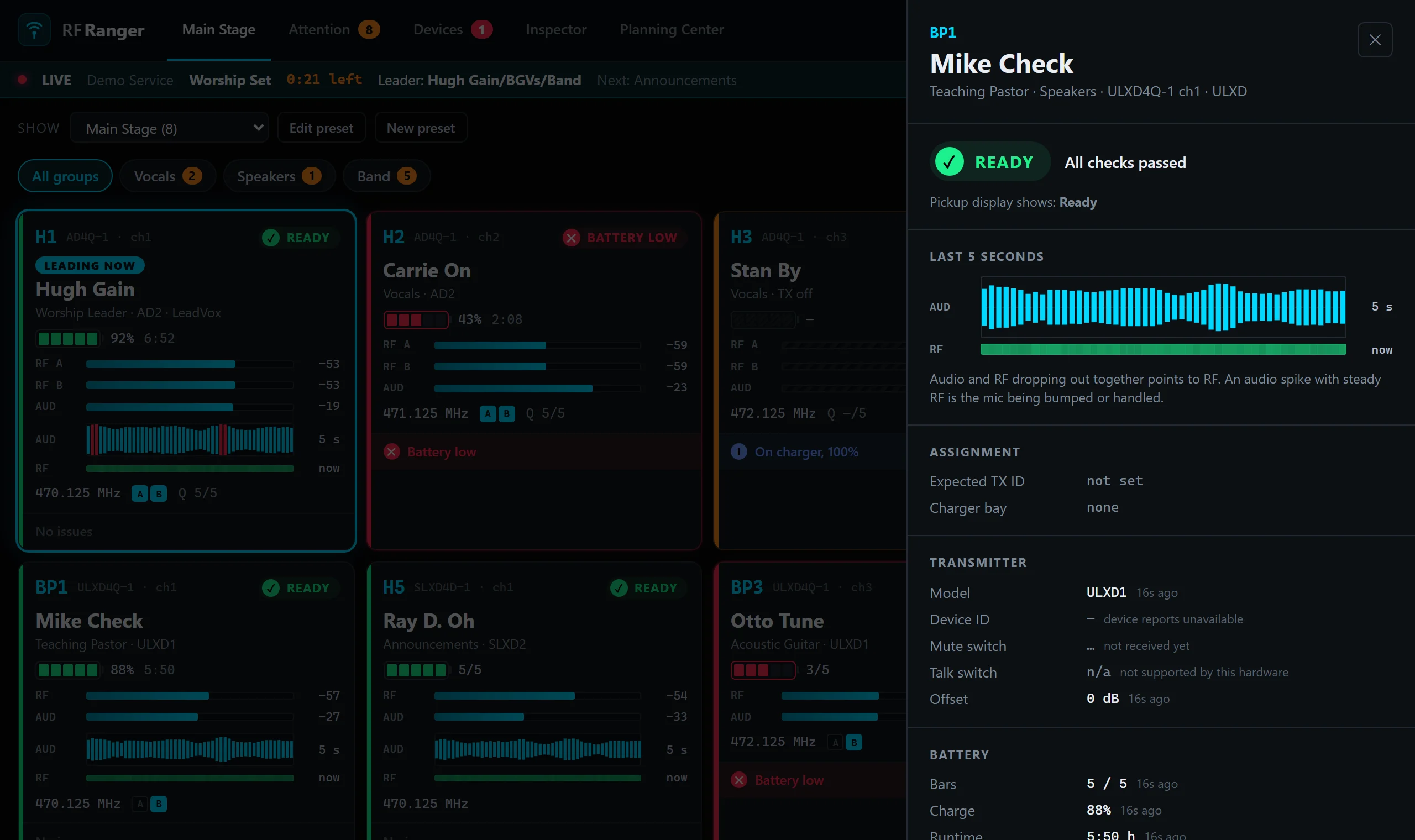
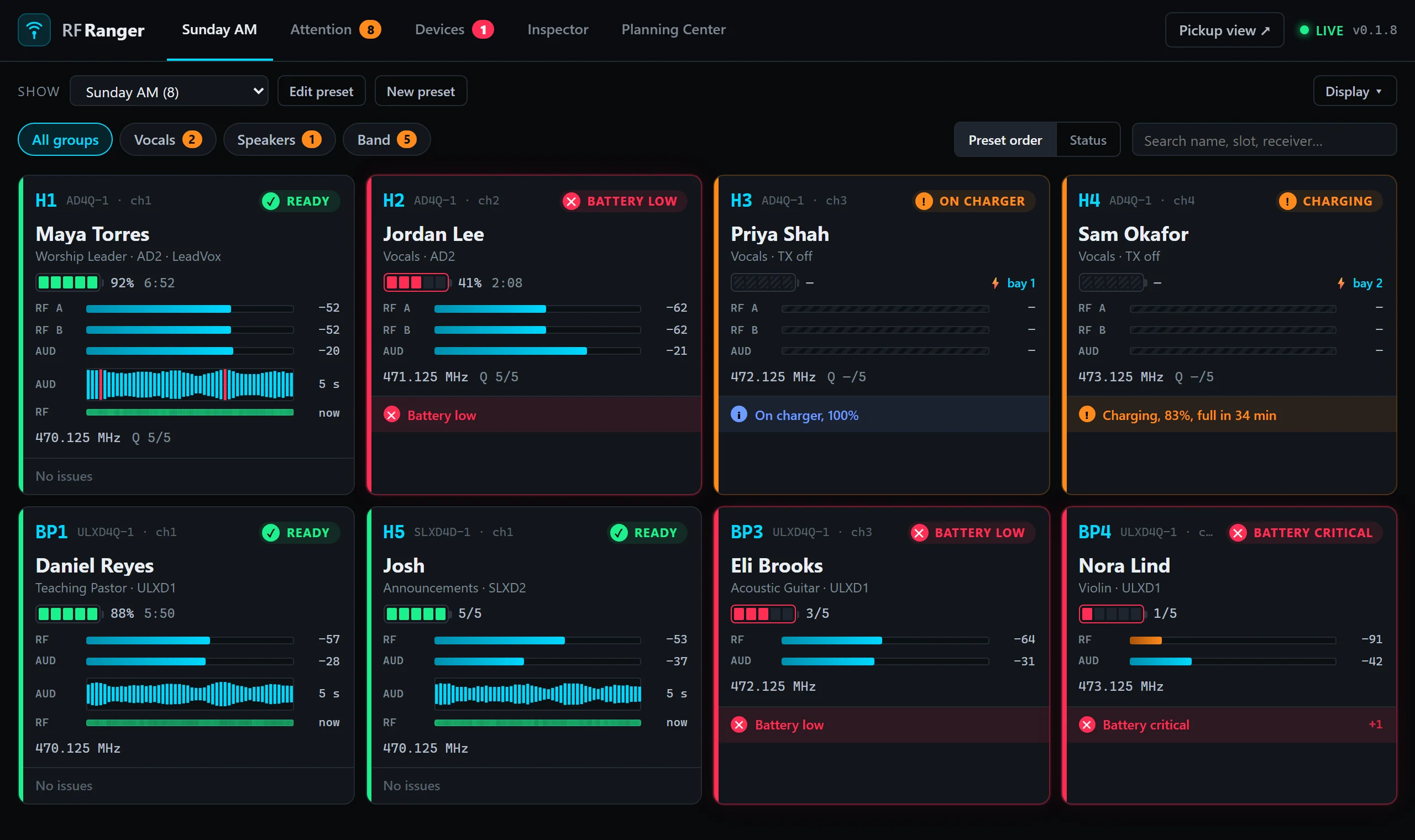
Every wireless channel on one screen, updated several times a second, in any browser on the network.
- Battery as bars and percent, with runtime left, from the transmitter itself.
- RF signal per antenna, with A/B diversity lights showing which antenna is in use.
- Audio levels and a five-second waveform with the RF underneath: tell a wireless dropout from a bumped mic.
- Readiness at a glance: green is ready, orange is off or on the charger, red is a low battery, a fault or an offline receiver.
- Alerts for low and critical batteries, weak RF, interference, encryption faults, the wrong transmitter on a channel, and muted receiver outputs.
- Transmitter model and ID, frequency, link quality and mute state for every channel.
A pickup screen for performers
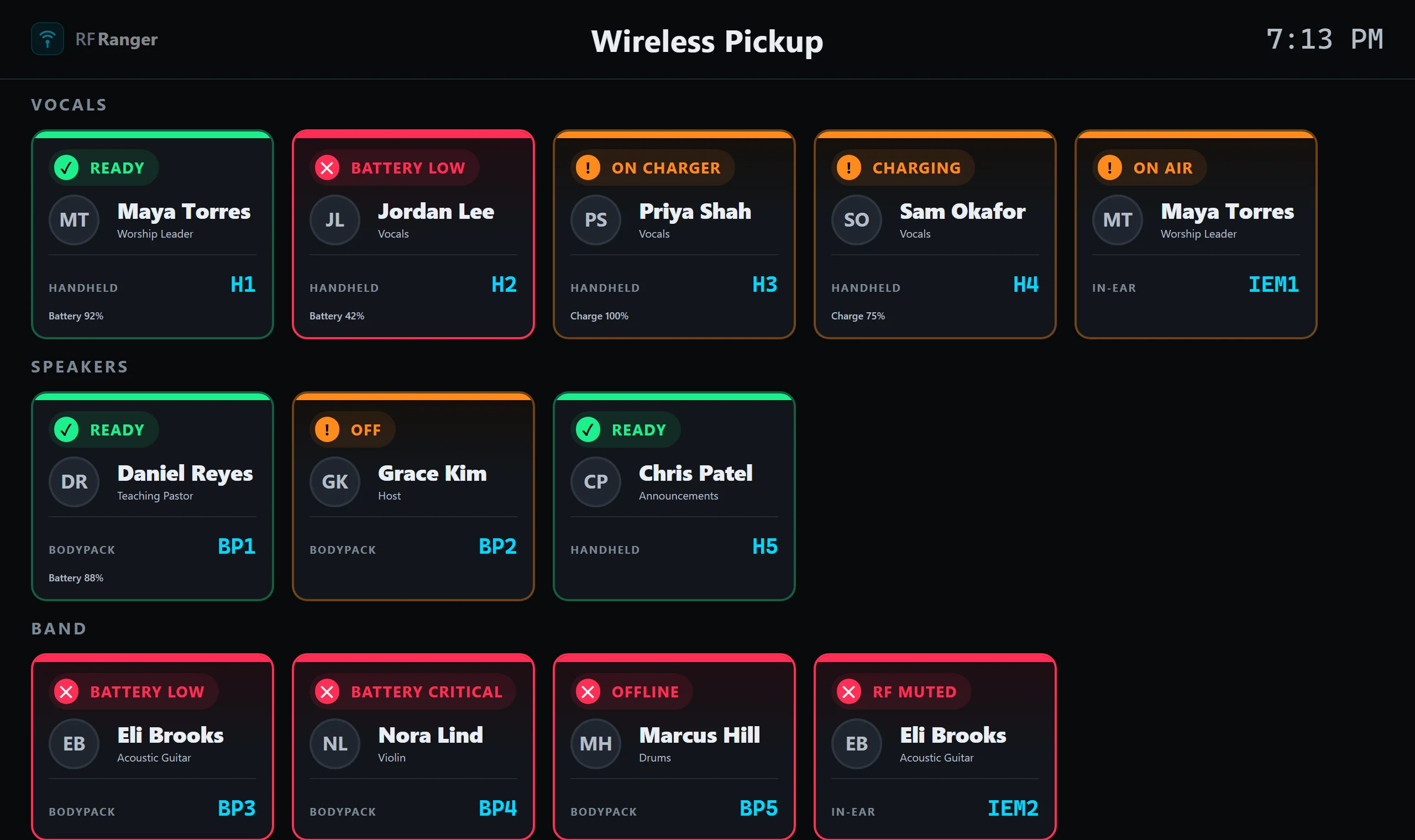
Put it on a TV by the mic table. Each person gets a column they can read from across the room.
- Their name and photo, from Planning Center or the receiver's channel names.
- Which mic is theirs (RF-1, BP-3, …) and whether it's ready, charging or switched off.
- Battery as bars and percent, or the charge while it sits in its charger.
- Their in-ear pack alongside their mic: on air, RF muted, and its charge when docked.
- Services Live countdown at the top of the screen, with the segment that's on now and what's next.
- "Leading now" lights up whoever the live item's leader is.
- Fits any screen by itself, with no scrolling on a TV; phones get two columns.
Planning Center integration
RF Ranger reads your Planning Center Services schedule (read-only) and puts the right people on the right mics.
- Mic assignments from the schedule: give each position its mics once ("Worship Leader" → RF-1 to RF-3, "BGV 1" → RF-5), then sync.
- Preferences: a person's preferred mic and preferred in-ear pack.
- Automatic sync a set time before rehearsal, or at a fixed time each week; several services, each with its own rules.
- Change any mic by hand after a sync; unconfirmed people and anyone left without a mic are flagged.
- Starred mics make an artist preset of just the synced mics, so the pickup screen shows only who's on tonight.
- Services Live: the live segment's countdown, the next item, and the item's leader, on the engineer and pickup screens.
Show presets
On a shared network RF Ranger can see every receiver in the building. Presets keep each screen to the mics that matter.
- Pick the channels for a room or a segment, in the order you want them.
- Nicknames per show: RF-4 is "Sam" tonight.
- Choose which preset the pickup screen shows, from the engineer view; or bookmark a TV to one preset.
- Edit presets from any engineer screen on the network, such as an RF tech's iPad.
In-ear monitors
- Shure PSM 1000 transmitters: channel names, frequency, RF output power, RF mute and stereo/mono mode.
- Each person's in-ear pack shows next to their mic, paired by name or by their Planning Center preference.
- Pack batteries through a networked charger bay. (IEM packs only receive, so they can't report their battery over the air.)
Networked chargers
- Shure SBC220 and SBC240: every bay's charge, battery health and time to full.
- Give a mic its charger bay and a docked transmitter reads "on charger" or "charging" instead of "off".
- Storage mode is flagged, so batteries left at storage charge don't go out on stage.
Setup and network
- Finds receivers by itself on the network and names channels from their channel names, the way Micboard does.
- Remembers devices, so a receiver that's switched off still has its channels on screen, and reconnects when it's back.
- Add a device by IP address for networks where discovery can't reach it.
- Read-only: RF Ranger never changes a setting on your hardware.
- Device Inspector to capture a device's raw data, and anonymized device reports to help add new hardware.
- Runs on the Mac or Windows laptop already at your RF desk; any phone, tablet or TV on the network opens it in a browser.
- Free and open source (MIT), with update notices when a new version is out.
Supported hardware
- Shure Axient Digital receivers
- Shure ULX-D receivers
- Shure SLX-D receivers
- Shure SBC220 and SBC240 networked chargers
- Shure PSM 1000 in-ear transmitters
- Sennheiser EW-DX (EM 2, EM 4) and Digital 6000 (EM 6000) receivers (new, not yet confirmed on real hardware)
Using something else? Tell us, or send a device report from the Inspector.
Try it on your next service
Free for Mac and Windows.