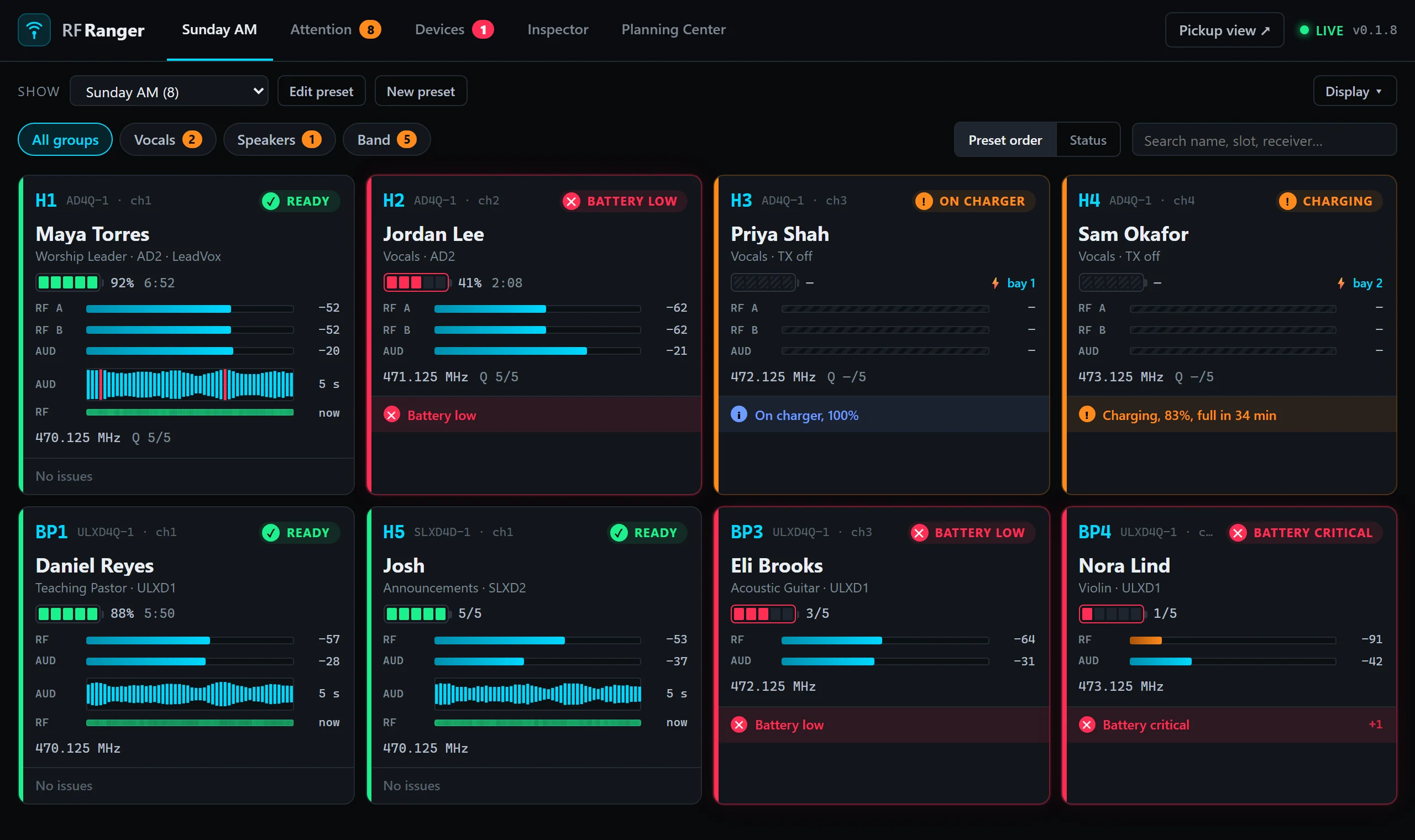
See battery, RF and audio for every wireless mic at a glance, and give your performers a screen
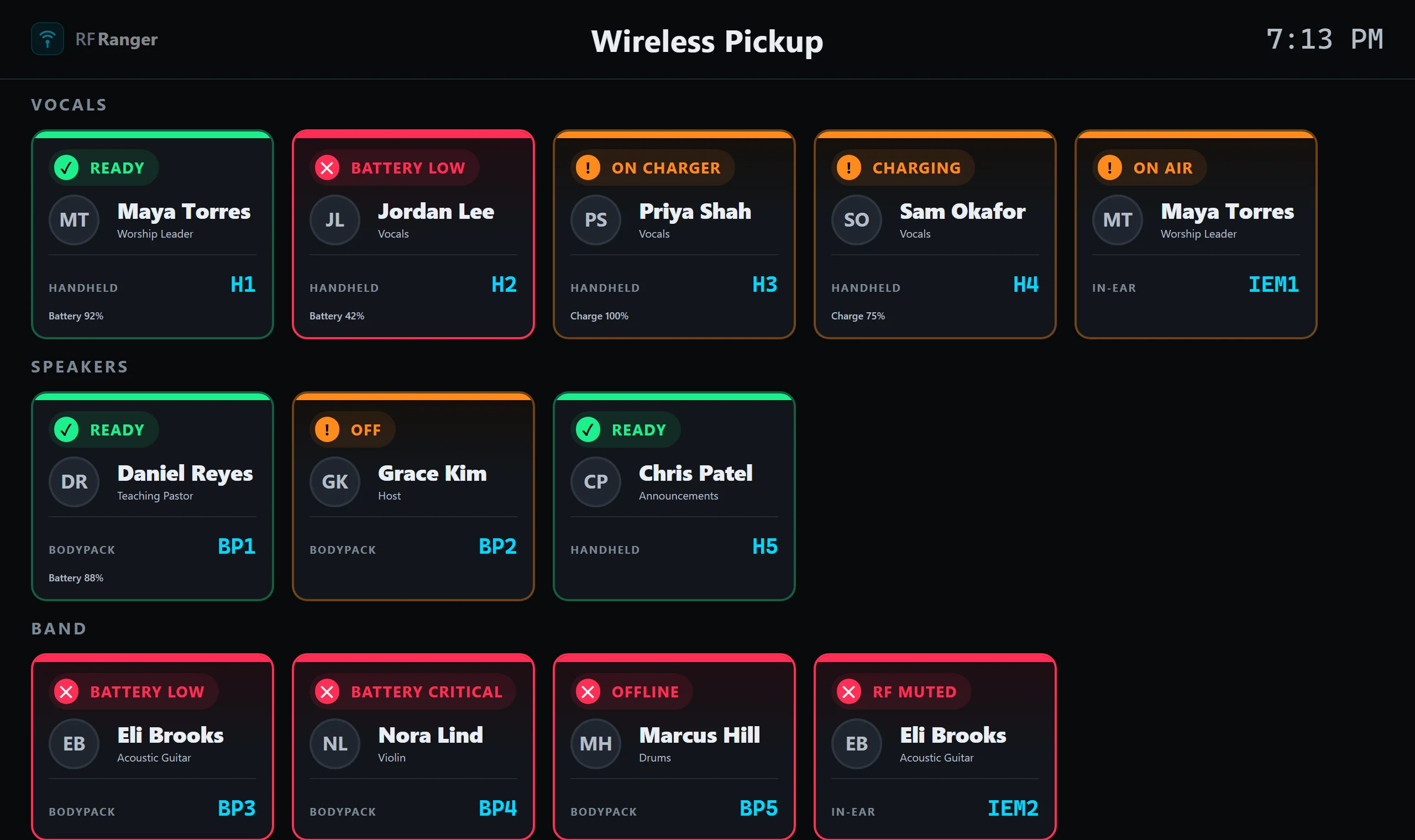
that shows which mic is theirs and whether it's ready. Free, and runs on the computer you
already have at front of house.
RF Ranger is for church and live-production teams who want to know, before the service starts,
that every mic is charged, switched on and healthy. It finds your Shure receivers on the network
by itself and opens in your browser, so any laptop, iPad or TV on the same network can show it.
Every channel at a glance
Green is ready, orange is off or on the charger, red is a low battery or a fault. Show presets put just the mics you need for worship, the message or announcements on screen, and give each one a nickname for the day: RF-4 is "Josh" this week.
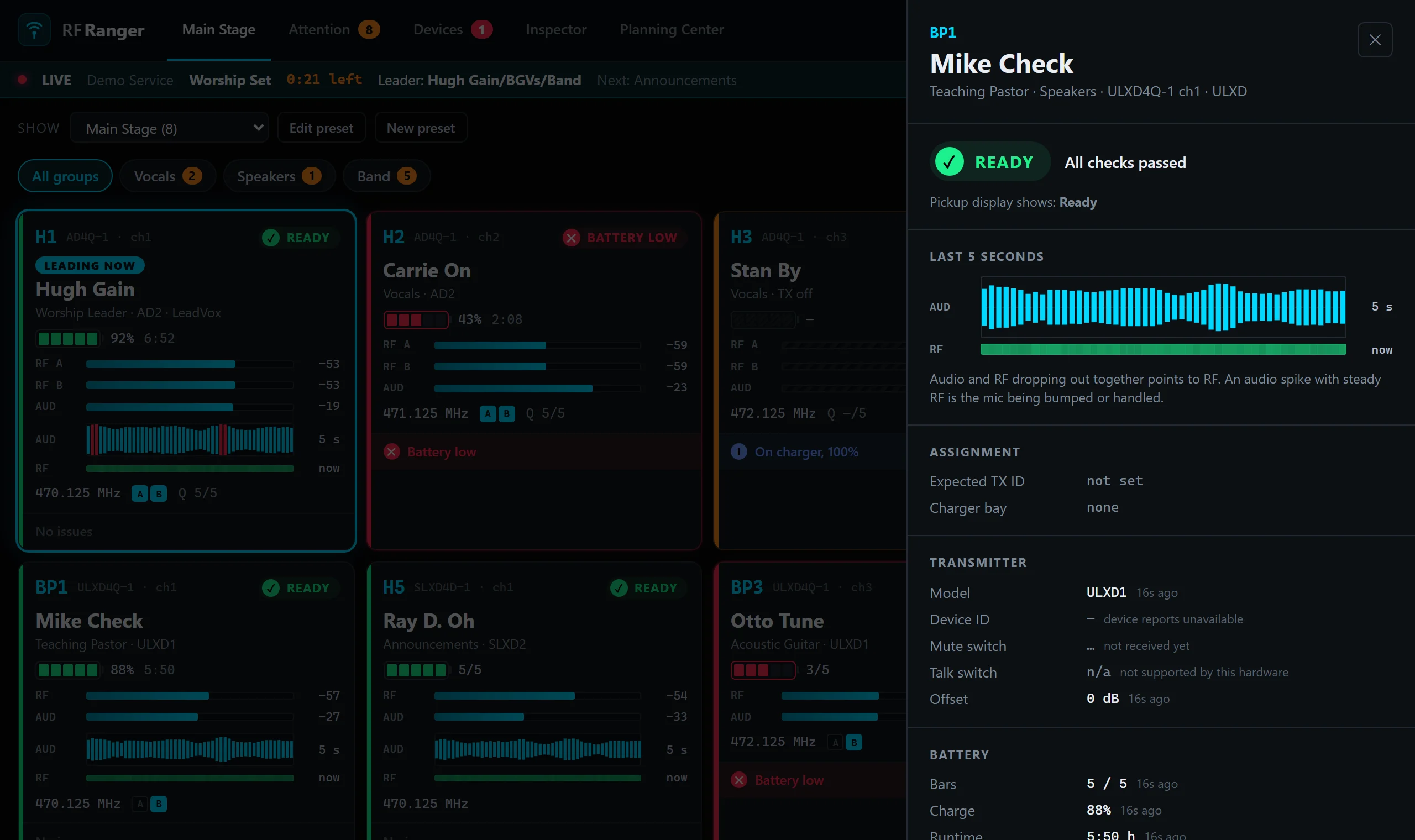
What just happened?
A five-second audio waveform with the RF signal underneath. If audio drops out with the RF, it's a wireless problem. If audio spikes while RF holds steady, someone bumped the mic.
A pickup screen for the team
Put it on a TV by the RF table. Performers find their name, see which mic or pack is theirs, and whether it's ready. No more "which one's mine?" five minutes before downbeat.
Hardware
Shure ULX-D, Axient Digital and SLX-D receivers; SBC220 and SBC240 networked chargers. PSM 1000 in-ears are early. Sennheiser is planned.
Runs on
macOS 11 or later (Apple Silicon and Intel), Windows 10 or 11 (64-bit). No admin rights needed to install.
Early release: tested on Shure Axient Digital and improving quickly. Your feedback shapes what comes next.
Feedback
Something not working, or an idea that would help on a Sunday morning? Tell us here.
Feedback is posted publicly as an issue in the RF Ranger GitHub project, so please leave out anything private, such as email addresses or names of people on your team.